
An end-to-end brand content workflow connects every decision from the campaign objective to the next production cycle. Instead of commissioning a shoot, collecting files and starting over when content runs low, the brand builds a repeatable operating system for planning, production, licensing, delivery, distribution and learning.
The distinction matters. Strong photography can still underperform when the brief ignores placements, the crop fails in paid media, usage rights are unclear or finished assets disappear into an unsearchable folder. The content system protects the commercial value of the creative work before, during and after production.

What is an end-to-end brand content workflow?
An end-to-end brand content workflow is a documented process that turns business goals into approved, licensed and deployable visual assets—and then uses performance evidence to improve the next cycle. It covers the full content lifecycle rather than treating production as the finish line.
In practice, the workflow answers seven connected questions:
- What business result should the campaign support?
- Which audience, message, products and channels are in scope?
- Which photographs, clips, crops and variations must exist?
- How will the production create them efficiently and consistently?
- Which approvals, formats and usage rights make them deployable?
- Where will approved assets live, and who can find them?
- What will the team learn before the next production?
This is the operational layer behind brand content infrastructure. The infrastructure is the capability a brand builds; the workflow is the repeatable path that moves each campaign through it.
A shoot and a content system are not the same product
| Decision area | Isolated shoot | End-to-end workflow |
|---|---|---|
| Starting point | Deliverables or shoot date | Business objective and use plan |
| Planning horizon | Current campaign | Current campaign plus upcoming demand |
| Shot list | Creative scenes | Creative scenes mapped to placements and formats |
| Delivery | Selected master files | Approved masters, channel-ready derivatives and documentation |
| Licensing | Clarified at delivery or after | Defined before production and attached to asset use |
| Storage | Project folder | Searchable, governed asset library |
| Review | Project closeout | Evidence feeds the next cycle |
The unspoken truth is that “end to end” becomes empty language if nobody owns the handoffs. A diagram does not create a system. Named decision-makers, deadlines, approval rules and a source of truth do.
The seven stages of an end-to-end brand content workflow
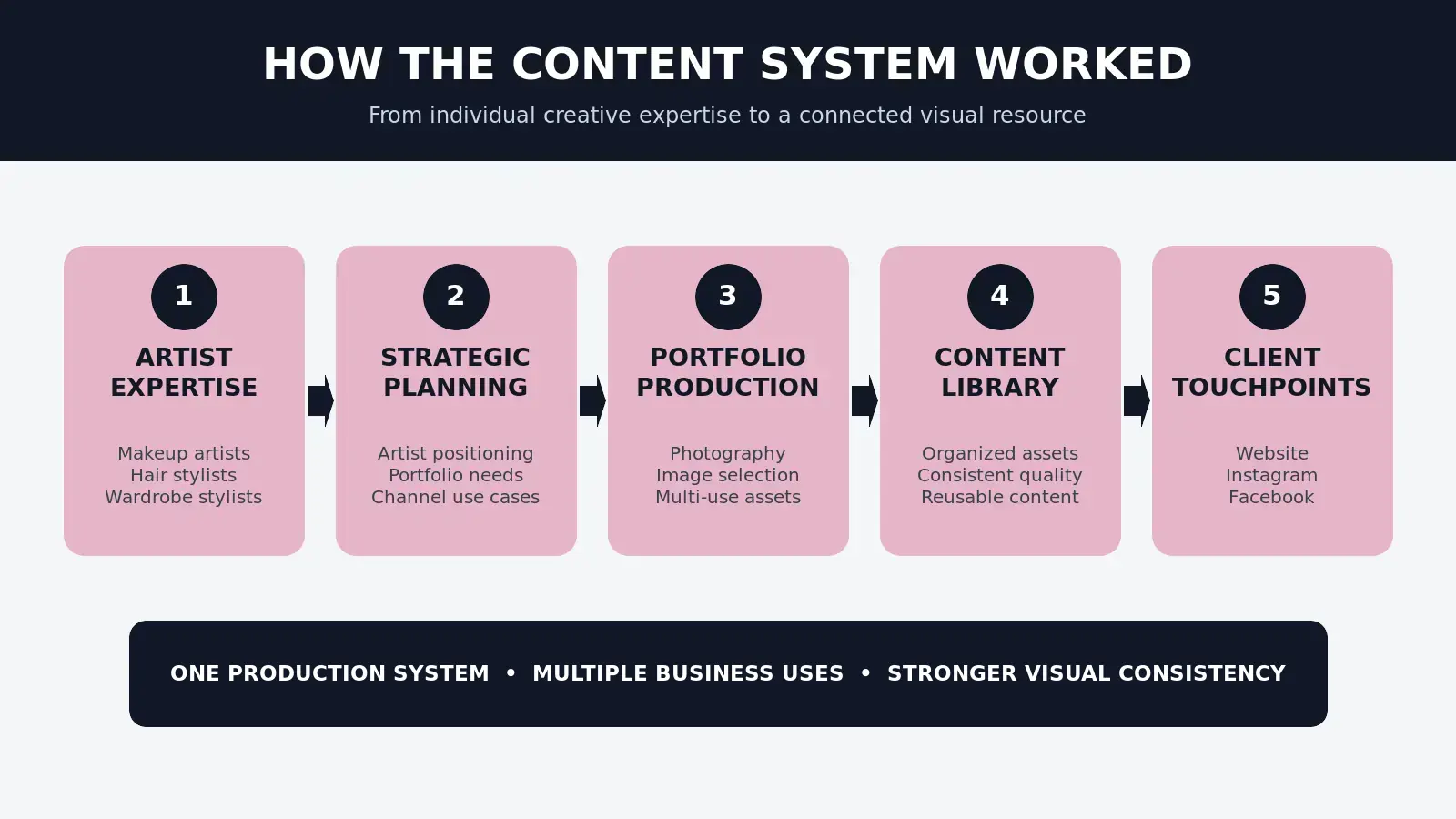
1. Define the business objective and campaign brief
Begin with the commercial problem, not the content format. A product launch may need awareness, qualified traffic, conversion support or retail sell-through. Those are different jobs and they require different messages, compositions and proof.
A useful brief establishes the objective, audience, offer, priority products, launch date, channels, required actions, creative territory, budget, approvers and success signals. It should also record what is not in scope. That constraint prevents the shoot from becoming an expensive attempt to solve every marketing problem at once.
If the strategy is still broad, use the principles in How to Build a Scalable Content Strategy before moving into production.
2. Map content to channels, placements and customer stages
Translate the brief into an asset map. Each required asset should have a likely destination: homepage hero, collection page, product detail page, organic social post, story, paid-social placement, email module, press package or retail material.
This step exposes gaps while they are still inexpensive to solve. A wide website banner needs different negative space from a vertical story. A conversion ad may need a clear product view and several creative variations. PR may require high-resolution, publication-safe images with complete credits. One master frame cannot automatically serve every placement.
For a detailed production sequence, see the fashion campaign planning process.
3. Design pre-production around the asset map
Creative direction, casting, location, styling, set design, lighting and shot lists should now serve both the concept and the deployment plan. The goal is not to make the work generic. The goal is to give the idea enough structural range to perform across the campaign.
Pre-production should confirm:
- priority products, looks and messages;
- hero frames, details, movement, portraits and copy-safe compositions;
- horizontal, square and vertical requirements;
- photography and short-form video overlaps;
- model, property, music and third-party permissions;
- paid-media, web, social, PR and print usage;
- review owners and decision deadlines.
When those decisions are postponed, the production team must guess. The missing crop, unclear permission or unapproved product usually appears later—when the cost of correction is higher.
4. Produce an intentional family of assets
On set, the production follows priorities rather than chasing raw image volume. Hero imagery establishes the campaign. Supporting frames add product clarity, detail, movement, emotion and variation. Channel-specific compositions protect the intended placement.
Quality still leads. However, the useful unit is not the individual photograph; it is the family of assets that can carry one coherent idea through the brand’s customer journey. A smaller set with clear functions can create more value than hundreds of near-duplicates.
5. Complete post-production, approvals and licensing
Selection and retouching should follow the approved asset map. Every final file needs a clear version, status and intended use. Channel-ready derivatives should preserve product visibility, faces, typography space and brand consistency rather than relying on automatic center crops.
Licensing belongs in this stage only as a final verification. The commercial scope—channels, territory, duration, paid advertising and print—should already have been discussed before production. If usage is ambiguous at delivery, the asset is not operationally ready.
The marketing asset delivery workflow explains how naming, formats, quality control, approvals and usage information should move with the files.
6. Add approved assets to a searchable library and distribute them
Finished files should enter one authoritative library with consistent filenames, campaign identifiers, asset types, approval status, usage notes and expiration dates. Marketing, e-commerce, paid media and PR should retrieve approved files from that source instead of circulating uncontrolled copies through email and chat.
A practical library may begin with a disciplined folder system. As volume, regions and teams grow, a digital asset management platform becomes more useful. The required sophistication depends on operational complexity, not brand prestige. Read the guides to visual content library management and digital asset management for fashion brands for the deeper structure.
7. Measure use, performance and recurring gaps
The final stage closes the loop. Review what was deployed, what performed, which assets remained unused, where teams requested emergency variations and which approvals created friction. Then carry those lessons into the next brief.
Performance does not mean pretending that one photograph caused every sale. Creative works inside an offer, audience, media plan, landing page and market context. The useful question is whether the content system improved deployment, consistency, learning speed and commercial support.
Build the asset map before the shot list
A simple matrix makes the workflow concrete. Adapt the fields to the campaign rather than copying every possible channel into the scope.
| Placement | Asset need | Format | Owner | Success signal |
|---|---|---|---|---|
| Homepage | Campaign hero with copy-safe area | Wide landscape | Brand or e-commerce lead | Click-through or product-page visits |
| Product page | Clear product and detail frames | Consistent portrait/square | E-commerce lead | Conversion and returns context |
| Organic social | Storytelling, movement and detail | 4:5, 1:1, 9:16 | Social lead | Saves, shares and qualified visits |
| Paid social | Hooks, product proof and variations | Placement-specific | Performance lead | CTR, conversion rate and CPA |
| Launch header and product modules | Responsive crops | CRM lead | Clicks and revenue per recipient | |
| PR | Hero images, credits and story context | High-resolution | PR lead | Relevant placements and coverage quality |
Assigning an owner matters as much as specifying a size. Without ownership, requests remain invisible until a deadline forces the production team to improvise.
Measure the system, not vanity output
Image count and posting frequency are easy to report, but they do not prove that the system works. Track a compact set of operational and performance signals:
- Asset utilization: the percentage of approved assets actually deployed.
- Channel coverage: whether priority placements received the correct files on time.
- Time to deployment: the delay between final approval and live use.
- Emergency rework: unplanned crops, exports, retouches or reshoots requested after delivery.
- Creative learning: which messages, products, formats and visual approaches deserve another test.
- Commercial performance: relevant campaign measures such as qualified traffic, conversion rate, cost per acquisition or revenue contribution.
Reviewing these signals over several cycles reveals the compounding ROI of planned content systems: fewer repeated decisions, faster deployment, better reuse and stronger evidence for the next investment.
Example: turning one visual direction into a content library
A fashion or beauty system does not require every image to look the same. It needs a recognizable creative direction with enough planned range to support different messages and placements.
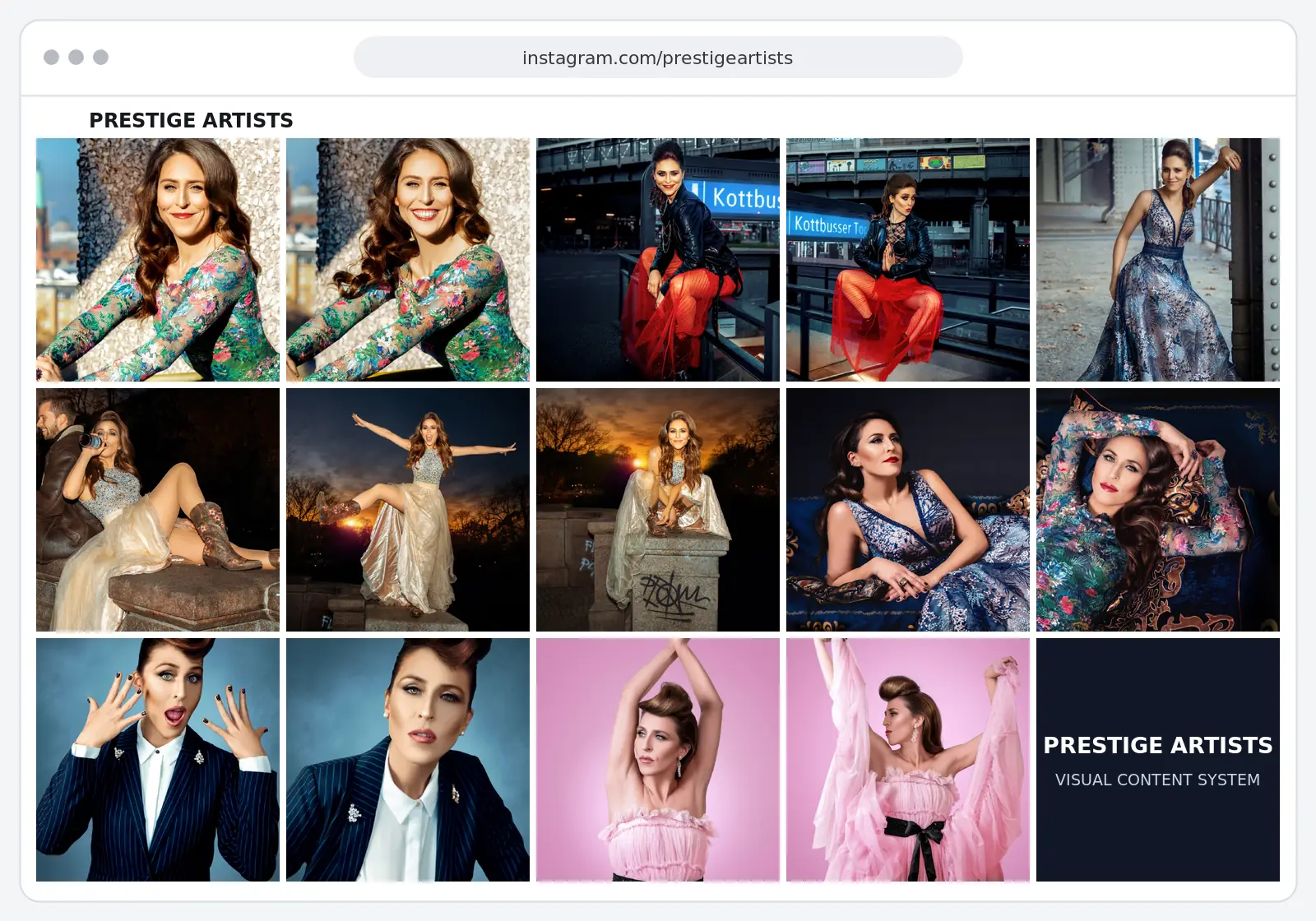
The Prestige Artists content system case study shows how distinct looks can become one connected visual resource. Strategic planning defined the positioning and channel needs; production created hero images, portraits and supporting frames; the final work became a reusable library rather than a collection of isolated shoots.
The lesson is not that every brand needs a large production. It is that the assets should be designed as a portfolio with defined jobs. Range without structure becomes visual noise. Structure without creative range becomes repetition. The system has to hold both.
Does an end-to-end workflow require a retainer?
No. A retainer is one operating model for recurring demand; it is not the definition of a content system.
A one-off campaign can be the right choice when the objective is isolated, the placements are known, the internal team already manages the broader workflow and future content demand is genuinely limited. Rejecting one-off work categorically would be ideology, not strategy.
An ongoing partnership becomes more useful when launches recur, paid media needs creative refreshes, channel requests repeatedly appear after delivery, visual continuity keeps resetting or the asset library grows faster than the team can govern it. In those conditions, continuity preserves knowledge and reduces repeated planning costs.
Use the guide to content retainer readiness to assess the pattern. For the broader commercial distinction, read Why We Don’t Sell Shoots—and What We Sell Instead.
Frequently asked questions
What is included in an end-to-end brand content workflow?
It normally includes business and campaign alignment, an asset and usage map, creative development, pre-production, photography or video production, post-production, approvals, licensing, delivery, asset-library management, distribution planning and performance review.
How is a content workflow different from a content strategy?
The strategy defines the audience, positioning, objectives and priorities. The workflow turns those decisions into repeatable actions, owners, assets, approvals and feedback. Strategy without a workflow often remains theoretical; a workflow without strategy efficiently produces the wrong work.
How far ahead should a fashion or beauty brand plan content?
Plan backward from the real launch date and include concept approval, casting, styling, production, selection, retouching, derivative exports, licensing approval, delivery and platform setup. A quarterly view is useful for connected demand, but each campaign needs its own realistic production schedule.
Which teams should be involved before production?
Usually the brand or marketing lead, creative lead, e-commerce owner, social or content lead, paid-media owner and PR lead should contribute requirements. Not everyone needs final approval. One named decision-maker should resolve conflicts and protect the schedule.
How do you know whether the system is improving ROI?
Compare cycles using asset utilization, channel coverage, deployment speed, emergency rework, production duplication and relevant campaign performance. The strongest evidence is not more files; it is a higher percentage of the right assets reaching the right placements with less friction.
Start with the system—not another emergency shoot
If your team keeps producing content but still lacks the right assets at the right time, the bottleneck may be the operating model rather than the production volume.
Book a Free Visual Audit. This is a working session to review visual gaps, consistency, reuse, licensing and whether your current production process can support upcoming campaigns.
Photography planned like media—designed to support campaigns, content systems and brand growth.